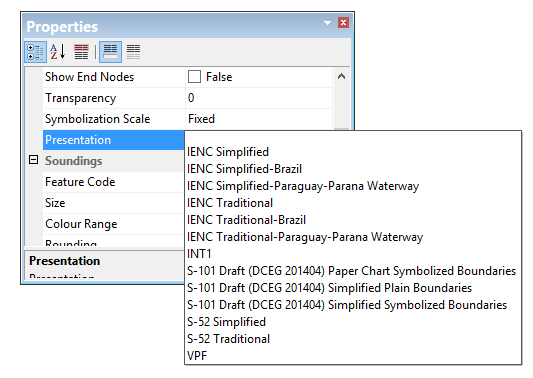
Portrayals are catalogues of lookup tables, colour tables, symbols and other files that make up drawing instructions for chart presentations. Portrayals can be based on
• IHO or other chart display standards
• custom organizational requirements
Portrayals are accessed in CARIS through the Options dialog box or Properties window.
When a portrayal is selected, the display is refreshed to show features in that portrayal.
Standard IHO portrayals are included in the CARIS installation. Three categories are available, see below.
Category | Portrayal |
S-52 | S-52 Simplified |
S-52 Traditional | |
IENC Simplified | |
IENC Simplified-Brazil | |
IENC Simplified-Paraguay-Parana Waterway | |
IENC Traditional | |
IENC Traditional-Brazil | |
IENC Traditional-Paraguay-Parana Waterway | |
Vector Product Format | |
Paper charts | INT1 |
S-100 | S-101 Draft (DCEG 201404) Simplified Plain Boundaries |
S-101 Draft (DCEG 201404) Simplified Symbolized Boundaries | |
S-101 Draft (DCEG 201404) Paper Chart Symbolized Boundaries |
Portrayals in CARIS are managed through the Portrayal Control File. This file links lookup tables, colour files and symbol information to a portrayal.
Custom portrayals can be created and added to the Portrayal Control File – however, files that comprise the portrayal should be created from copies of the default files. Default files should not be modified.