Menu | View > Centre On > Coordinate |
Tool |
|
Menu | View > Centre On > Coordinate |
Tool |
|
Centre the view in the Display window around specific coordinates.
Related commands:
Procedure
1. Select the Centre on Coordinate command.
The Coordinate Entry dialog box is displayed.
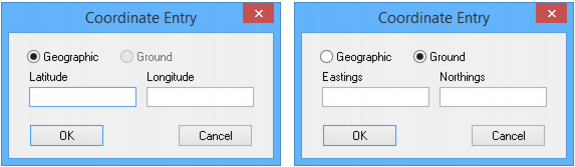
Coordinates can be entered in the following formats:
• Geographic: Centre using latitude and longitude.
• Ground: Centre using eastings and northings.
2. Select Geographic or Ground.
3. Type coordinate values.
4. Click OK.
The Display window view is recentred.
