 CARIS HPD Product Editor
 CARIS HPD Product Editor
Menu | Edit > Change > Apply Changes to Product > Superselection Edit > Change >: Apply Changes to Product > Selection |
Applying changes to an ENC product or a GML product is a two-step process: First you apply the updated features and then apply any changes to relationships between features, such as collection objects.
Feature relationships (parent/child relationships in S-57 data) are updated automatically. |
Previous source attributes and representations can be reapplied to a source-derived feature by using Revert Source Link in the History Information dialog box.
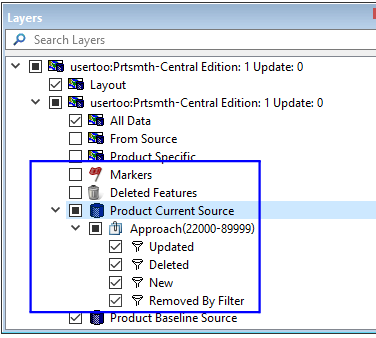
The changed features are listed in the Changes in Source layers created using the Compare Product to Source command.
Related commands:
• | • |
Procedure
Import individual source features or selected groups of features into the product as follows:
1. Make the appropriate layer active.
2. Select the changed feature or features.
3. Select the Apply Selected Changes to Products command.
The selected features are updated in the product and a message tells you the number of changes successfully applied.
4. Repeat until all changes are applied.