 CARIS HPD Paper Chart Editor
 CARIS HPD Paper Chart Editor
CARIS HPD Product Editor
CARIS HPD Source Editor
CARIS S-57 Composer
CARIS Paper Chart Composer
Pop-up | More (Selection window) |
Set visibility, order, and width of the columns in the Selection window.
See Selection for information on the Selection window.
Related commands
• |
Interface
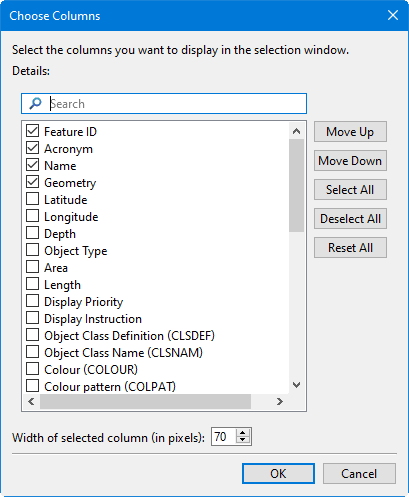
Option | Description |
|---|---|
Details | A list of column headings. To hide or display a column: 1. Select the column. 2. Click on the check box. |
Width of selected column | Set column width: 1. Select the column in the Details list. 2. Use the up and down arrows to set the column width in pixels. |
Command | Description |
|---|---|
Move Up | Change the position of a column. 1. Select the column in the Details list. 2. Click Move Up or Move Down until the column is in the required position. |
Show All | Show or hide all columns in the Details list. |
Reset All | Reset all columns to their default position and show/hide setting. |
Procedure
1. Right-click and select More from the pop-up menu.
The Choose Columns dialog box is displayed.
2. Set any necessary options.
3. Click OK.