 CARIS HPD Product Editor
 CARIS HPD Product Editor
Menu | Create > Product Data |
For an S-57 product, this command adds data to the product boundary by loading source data into the data cover area. Source data within the product boundary but outside the data cover area is not loaded. Product-specific M_COVR features with CATCOV=2 will be created automatically where appropriate.
For a tiled raster image product, this command creates the tiles defined by the Create Tiled Raster Product command but does not read the data underlying the tiles.
Related commands:
• • • | • • |
Procedure: S-57 product
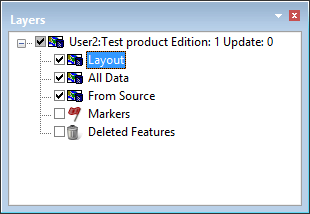
1. Select the Layout layer.
2. Select the Create Product Data command.
Source data within the boundaries of the area is loaded to the polygon area.
The Layers window shows the layers of the product.
Procedure: Tiled raster data product
1. Select the Layout layer.
2. Select the Product Data command.
Tile definitions are created. The tiles are laid out so that they completely cover the defined area or areas.
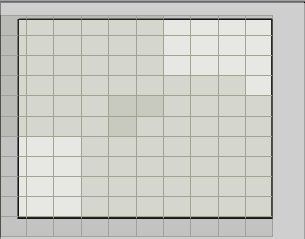
In this example, the two data cover areas are so close together that tiles at the edges overlap. This is indicated by the darker colour.
Once the tile definitions are created, whether automatically or manually, you can no longer change the data coverage areas.
You should immediately save the new product. |