.
Layers are usually drawn as solid colours but colours can be blended using the MULTIPLY instruction. An example of a MULTIPLY instruction is shown below.
TRAF Traffic_Separation_Magenta MULTIPLY |
Instructions are case-sensitive. |
The MULTIPLY instruction, when applied to the TRAF layer, means that the Traffic_Separation_Magenta colour is blended with colours that are drawn underneath.
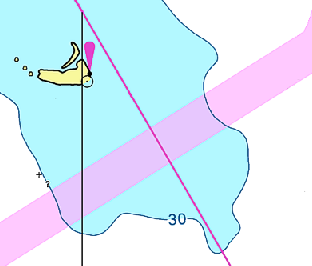
The example below shows a the TRAF layer drawn as a uniform colour without the MULTIPLY instruction.
.
When the layer is selected in Paper Chart Editor, the Blending Mode in the Properties window is set to the default ALPHA value.
The following image shows the TRAF layer with the MULTIPLY instruction.
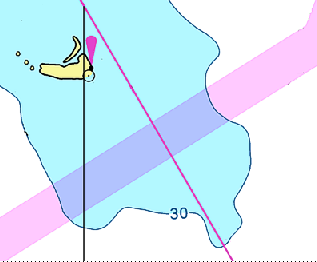
The magenta colour is now blended with the depth area. When the layer is selected in Paper Chart Editor, the Blending Mode in the Properties window is set to the MULTIPLY value.