The INTERSECT instruction applies an override colour where two or more colours overlap.
A basic INTERSECT instruction is shown below.
FBLU Depth_Area_Shallow INTERSECT(BUFF|Intertidal_Area) |
Instructions are case-sensitive. |
This line is interpreted as follows:
When a FBLU layer (Depth_Area_Shallow colour token) is overlapped with a BUFF layer (Land_Area token), the Intertidal_Area colour is substituted for the above colours.
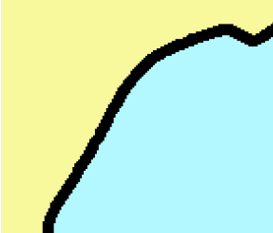
For example, a land area (BUFF layer) and a shallow water area (FBLU area) as shown here:
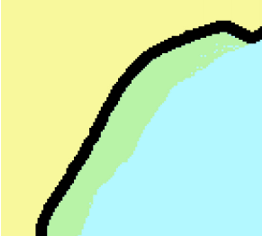
When the BUFF layer is selected and the Brush tool is moved over part of the FBLU layer, the colour changes to Intertidal_Area green.
INTERSECT can be extended to include more than one layer. For example:
BLUE Blue INTERSECT(RAID|Nautical_Purple;YAID|Green) |
If BLUE is intersected with RAID (red colour token), the substituted colour is Nautical_Purple; if BLUE is intersected with YAID (yellow colour token), the substituted colour is green.
The intersect instruction can also assign a colour when multiple layers overlay each other. For example,
FBLU Depth_Area_Shallow INTERSECT(BUFF,HBLU|Intertidal_Area;) |
If the FBLU layer is overlaid with both the BUFF and HBLU layers, then the Intertidal_Area colour is used.
The following syntax rules must be applied when setting intersect instructions:
• each instruction is separated by a semi-colon (;)
• layers within an instruction are separated by a comma (,)
• layers are separated from the colour token with a “pipe” character (|)