 CARIS HPD Product Editor
 CARIS HPD Product Editor
Menu | Tools > Report > Product Attribute Overrides |
Report features that have had source attributes changed since the product was created.
This command is available only to persons with Product Editor (All Data) role. See Database Administration for more information about user roles. |
Related commands:
• • • • | • • • • |
Procedure
1. Open a product.
2. Select an All Data or From Source layer.
3. Select features on the layer.
4. Select the Report Product Attribute Overrides command.
Source attributes with values that have been overridden with new values are listed in the Output window.
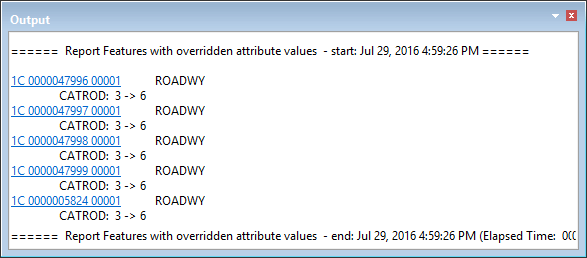
You can click a link in the Output window to superselect a feature, then use the Revert Product Attributes command to change the attributes back to the previous value.