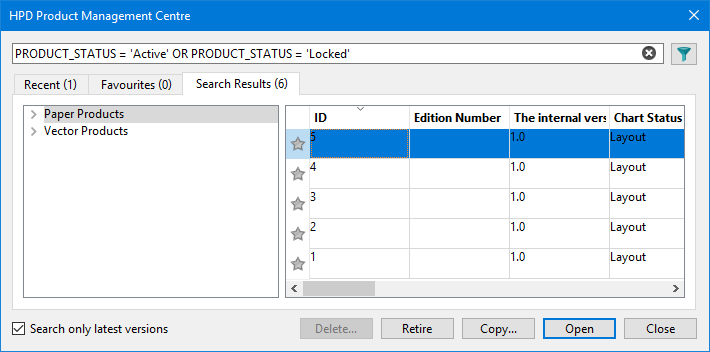
The Product Management Centre lets you do the following:
• Manage the status and release of both vector and paper chart products.
• Create new updates and new editions of products.
• Create copies of paper charts.
Product Management Centre can only be used by persons with a Product Manager role. |
Access the Product Management Centre via the Windows Start menu: CARIS HPD <version> > Product Management Centre <version>.
Interface
This dialog box is the same as that used to open database products. See the Open Product command for full information.
Procedure
1. Open the Product Management Centre.
The database dialog box is displayed.
2. Type your Username and Password or enable Use Windows credentials.
3. Select a database.
4. Click OK.
The Product Management Centre is displayed.
You can manage vector products or paper charts.
5. Select the Vector Products list or the Paper Products list.