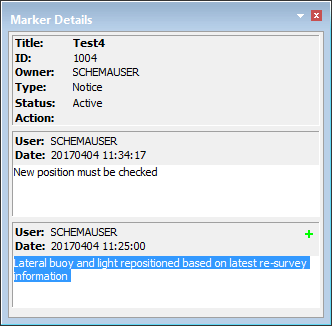
The Marker Details window contains a description of a marker feature selected in the Markers window (see Markers).
The information is read-only. If the marker has an attached graphic, a flag ( ) is displayed beside the marker information.
The top section of the window contains:
Field | Description |
|---|---|
Title | An optional title assigned by the author of the marker |
ID | A number assigned to identify a marker |
Type | The type of marker: User, QC, Error, or Notice. |
Status | The status of the marker. This will be Active when the marker is first created, but can change as work progresses. Available statuses depend on the marker type. |
Action | Add, delete, modify. |
The bottom section of the window can contain many individual messages, in chronological order with the newest first. Each message contains the following information.
Field | Description |
|---|---|
User | The account name of the person who created, replied to, or otherwise modified the marker. |
Date | The date the marker was created or modified |
Text | Any text added by the author or other user, or messages regarding the type of modification made. |