 CARIS HPD Source Editor
 CARIS HPD Source Editor
The Representations window in Source Editor displays information about feature representations. The order of usages is determined by the hierarchy defined by your organization.
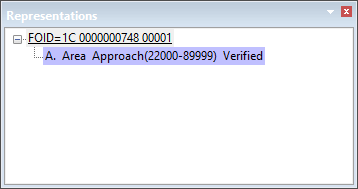
The name, feature object ID, and usages to which representations are assigned are shown for a selected feature.
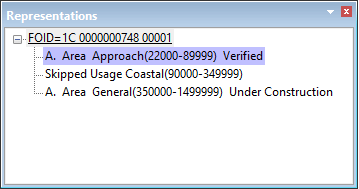
The base usage is shown in bold and the active usage is highlighted in mauve. In the example above, a feature on the Approach usage (base usage) had a representation assigned to the Coastal usage.
When features are assigned to new usages and a usage in the hierarchy is skipped (for example, if you assigned the representation to General, thus skipping Coastal), this is noted as Skipped Usage so you can choose whether to update that usage with a representation.
If you want to view pending updates, you must enable the Include Pending Updates option in the Options dialog box.