CARIS HPD Paper Chart Editor
 CARIS HPD Paper Chart Editor
CARIS HPD Product Editor
CARIS HPD Source Editor
Admin Tools
Template Editor
Project Editor
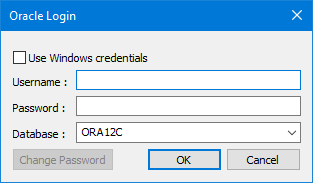
This dialog box is displayed the first time you open a project, workspace or other database object in most HPD editors.
Interface
Option | Description |
|---|---|
Use Windows credentials | Use your Windows credentials instead of a database user name and password. |
Username | Your database user name. When you log in, Oracle does a case-insensitive match on the user name. |
Password | Your database password. This entry is case-sensitive. |
Database | Your database. Select from the list. |
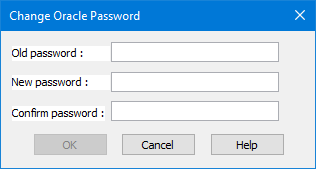
Change Password | Change your database password. Any user can change the password of any other user if they know the existing password.
1. Enter your old password. The password is case-sensitive. 2. Enter a new password. 3. Enter the new password again to confirm it. 4. Click OK. Your password is changed and you are returned to the Database Connection Oracle Login dialog box. |
Procedure
1. Enter your user name and password.
2. Select the database if necessary.
3. Click OK.
Your database is opened and the file, workspace or project is loaded and displayed.