 CARIS HPD Product Editor
 CARIS HPD Product Editor
CARIS HPD Source Editor
CARIS S-57 Composer
Menu | File > Export > Display |
Export the current view in the Display window to a GeoTIFF file.
Interface
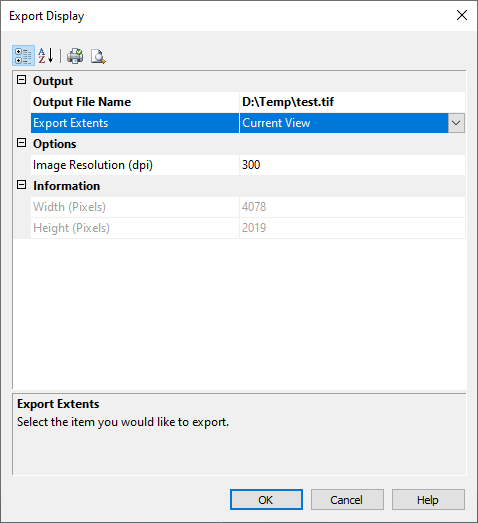
Option | Description |
|---|---|
Output | |
Output File Name | Path and file name of the output GeoTIFF file. 1. Click the browse button (...). 2. Navigate to the folder. 3. Type a file name and click Save. |
Export Extents | Extents of the output file. Choose from: • • |
Options | |
Image Resolution | Resolution of the output image in dots per inch (DPI). |
Information | |
Width | Width and height of the image in pixels. These values are read-only. They will be changed automatically when the resolution changes. |
Height | |
Procedure
1. Zoom in on the area you want to export.
2. Select the Export Source View command.
3. Select an output file name.
4. [Optional] Set the image resolution.
5. Click OK.
A GeoTIFF image is saved.