 CARIS HPD Paper Chart Editor
 CARIS HPD Paper Chart Editor
CARIS Paper Chart Composer
Menu | Create > Cartographic Overrides |
Replace two co-located point symbols (for example, for a topmark and buoy) with a single point symbol. The co-located symbols are masked.
All features to be replaced must be selected.
Interface
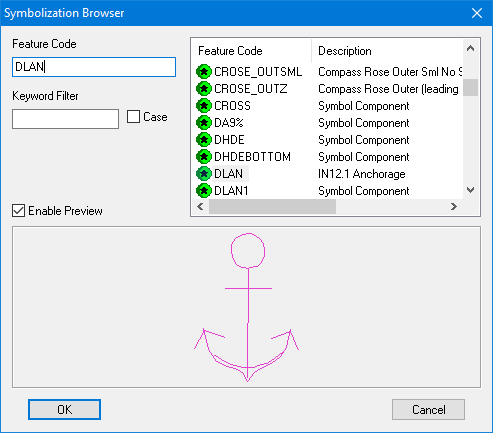
Option | Description |
|---|---|
Feature code list | The list of available feature codes. You can scroll to the code you want or filter it using the Feature Code or Keyword Filter options. |
Feature Code | Start typing a feature code. The selected feature code in the list changes to match the characters you type. |
Keyword Filter | Search for all or part of a word in all fields associated with the feature codes. Case: • On: Only terms matching the case of the input characters will be found. • Off: All matching terms will be found regardless of case. |
Enable Preview | Display a preview of the symbol selected symbol. |
Procedure
1. In a panel, select co-located point symbols.
2. Select the Create Cartographic Overrides command.
The Symbolization Browser is displayed.
3. Select a feature code.
This is used to create the new cartographic symbol ($CSYMB) feature.
4. Click OK.
The cartographic feature is displayed in the Display window, superimposed over the original symbols.
Finish by masking the two original co-located symbols:
5. Set the feature masking flag ($fmask) attribute values to 1 – True.