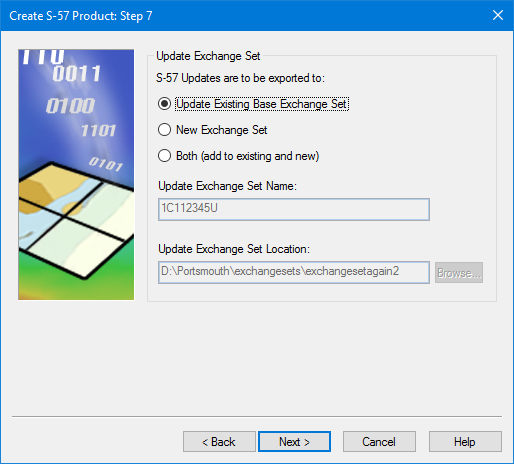
This is step 6 if you are creating a standalone product. It is skipped altogether in both types of product if you choose not to create or update an exchange set in the previous step. |
The location of updates during export.
Interface
Option | Description |
|---|---|
S-57 Updates are to be exported to | Choose from: • Update Existing Base Exchange Set • New Exchange Set • Both (add to existing and new) |
Update Exchange Set Name | A name for the new exchange set. Only available if the second or third options are selected in S-57 Updates are to be exported to. |
Update Exchange Set Location | A location for the new exchange set. Only available if the second or third options are selected in S-57 Updates are to be exported to. |
Procedure
1. Select which updates are to be exported.
2. Set any other necessary options.
3. Click Next.