Menu | Tools > Engineering Analysis > Shoals > Display Depth Annotations |
Tool |
|
Menu | Tools > Engineering Analysis > Shoals > Display Depth Annotations |
Tool |
|
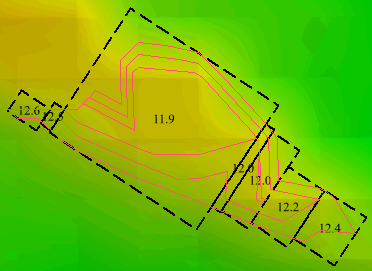
The Display Depth Annotations command is used to display the shoalest depth of the sections of shoal areas covered by each shoal box. The unit of measure assigned to the annotations is determined by the Elevation settings in the Units category of Tools > Options.
Related commands:
Procedure
1. Select the Shoal Boxes layer in the Layers window.
2. Select the Display Depth Annotations command.
The depths are displayed in each shoal box.
