Menu | Tools > Engineering Analysis > Shoals > Calculate Clearances |
The Calculate Clearances command is used to recalculate clearances for all shoal boxes in the selected layer. This should be done if the reference model template has been changed.
Related commands:
Interface
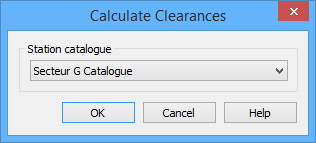
The Calculate Clearances command uses the following dialog box.
Option | Description |
Station Catalogue | The station catalogue of the reference model that was used to detect the shoals. This must be specified in order to determine the updated template values. By default, the last station catalogue that was selected in a Shoals dialog box is selected here. |
Procedure
1. Select the Shoal Boxes layer in the Layers window.
2. Select the Calculate Clearances command.
3. Select a Station catalogue from the list.
4. Click OK.
The clearances are updated for all shoals. When the process is complete, a message is displayed in the Output window.