Menu | Select > By Filter > Feature Type |
Tool |
|
Menu | Select > By Filter > Feature Type |
Tool |
|
Select features according to feature type.
Related commands:
• Select Features Inside Areas | • Remove Others from Selection • Remove |
Procedure
1. Select a layer.
2. Select the Select by Feature Type command.
The Select by Feature Type dialog box is displayed.
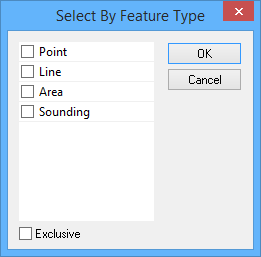
Option | Description |
Select the feature type | Enable one or more feature types. |
Exclusive | Off: The filter will select only the features that meet the criteria. On: The filter will select all features except those that meet the criteria. |
3. Select one or more feature types.
4. Click OK.
All features of the selected type are selected.
