Menu | Select > Features > Superselection Range |
Select all features within a specific circular range of a superselected feature.
Related commands:
• Select Features Inside Areas | • Remove Others from Selection • Remove |
Procedure
1. Select the Select by Superselection Range command.
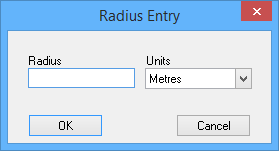
The Radius Entry dialog box is displayed.
Option | Description |
Radius | Features are selected within a circular range. Here you define the size of the circle Type a value. |
Units | The units for the radius. Select from the list. |
2. Type a Radius value.
3. Select the unit of measure.
4. Click OK.
All features with the range are selected.