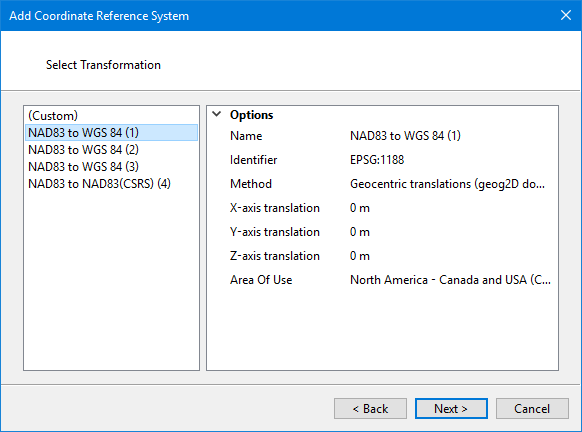
Select the transformation to use.
If the geodetic coordinate reference system selected in the previous step has has transformations available for it, they will be displayed in the list. This step will not appear if you chose WGS84 in the previous step.
Interface
You can select Custom or an existing transformation. If you select a transformation, its options are displayed on the right.
Procedure: Existing transformation
1. Select a transformation from the list.
The options of the transformation are displayed on the right. These options cannot be modified.
2. Click Next.
The Select Projection dialog box is displayed.
Procedure: Custom transformation
1. Select (Custom) from the list.
2. Click Next.
The Create Custom Transformation dialog box is displayed.