 CARIS HPD Paper Chart Editor
 CARIS HPD Paper Chart Editor
CARIS Paper Chart Composer
Menu | Create > Text > Block |
Tool |
|
Insert Rich Text Format (RTF) files into a chart as text blocks. The text is written in an external application as a temporary RTF file named blocktext.rft. This file is later inserted into the panel. An application that can create RTF files must be available on your computer.
Related commands:
• • • | • • |
Procedure
1. In the Layers window, select a Panel data layer.
2. Select the Create Text Block command.
A message informs you that an external application is open for creating RTF files and that PCE is not available while the external application is active.
3. Click OK.
The Select Object Acronym dialog box is displayed.
4. Select a text feature and click OK.
5. Text attributes can be entered in the Attributes window.
The cursor changes( ).
).
6. Click at the location you want to add the text.
A message is displayed in Paper Chart Editor.
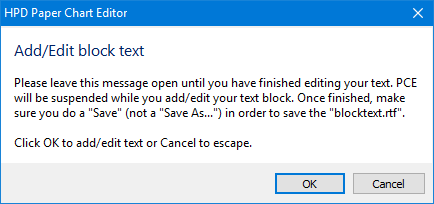
This message must remain open until the text is completed.
The text editor is opened. The file is automatically given the name blocktext.rtf.
7. Type and format your text.
8. Select Save in the text editor.
9. Click OK in the message.
The text from the temporary RTF file is added at the location that you selected.
