 CARIS HPD Publications Module
 CARIS HPD Publications Module
Menu | File > New > External Paper Chart |
Tool |
|
Pop-up | New Paper Chart (Object Browser) |
Menu | Edit > Add |
Tool |
|
Pop-up | Add (Object Browser) |
Add an external chart layer to Paper Charts in Object Browser. External charts are charts not stored in the database.
When a publication is created or a project is opened, a Paper Charts layer is added to Object Browser. The Paper Chart layer contains child layers for database charts and external charts. See below.
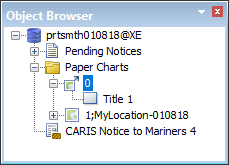
Related commands
• • • | • • |
Procedure
1. Make sure that a publication is open.
2. Select the New External Paper Chart command.
3. An external chart layer is added to the Paper Chart layer.
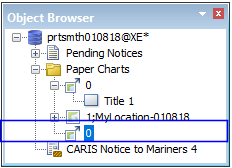
Sheet and panel layers can be inserted through the Add command. Sheets layers are given a default layer name of Title. Panel layers are given the default name of New Chart Panel.
4. Select the chart layer.
5. select the Add command to insert a sheet.
6. Select a sheet layer.
7. Select the Add command to add a panel layer.
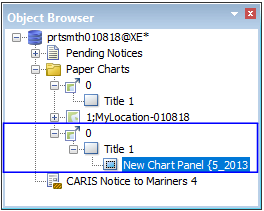
When the chart/sheet/panel layers are selected, attributes are displayed in the Properties window. Read-only attributes are greyed out. All other attributes can be modified.
8. Select external chart layers and add attributes where required.

