 CARIS HPD Publications Module
 CARIS HPD Publications Module
Menu | Edit > Add |
Tool |
|
Pop-up | Add (Object Browser) |
Add sections to a publication.
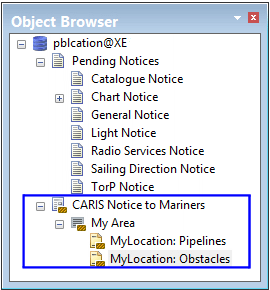
For example, a publication contains a section, MyArea. Two other sections, MyLocation: Pipelines and MyLocation: Obstacles are notice sections where notices can be inserted.
Related commands:
• • • • • • • • | • • • • • • • |
Procedure
1. Select the main Publication layer in the Object Browser.
2. Select the Add command.
The Add Object dialog box is displayed.
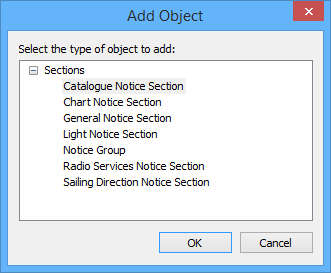
The Add Object dialog box contains sections related to publication type. Notice Group is a separator that provides structure for the publication. For example, to organize a publication by geographic area, use the Notice Group sections to separate regions.
3. [Optional] Select a section.
4. Click OK.
5. Type a name for the section in the Object Browser.
6. [Optional] Add more sections, if necessary.
The section are listed in the Object Browser.
