 CARIS HPD Publications Module
 CARIS HPD Publications Module
Menu | File > Open > Publication |
Tool | |
Open an existing publication.
Related commands:
• • | • • |
Interface
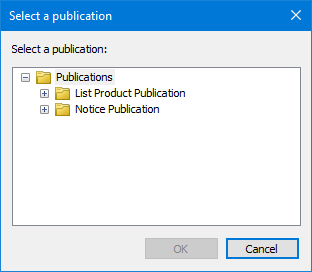
Option | Description |
|---|---|
Select a Publication | A list of publications related to the publication type. 1. Click the + icon beside List Product Publication (for records) or Notice Publication (for notices). 2. Select a publication. |
Procedure
1. Select the Open Publication command.
The database dialog box is displayed.
2. Type a Username and Password.
3. Select the Database.
4. Click OK.
The Select Project dialog box is displayed.
5. Select a project from the table.
6. Click OK.
The Select Publication dialog box is displayed
7. Select a publication.
8. Click OK.
