 Project Editor
 Project Editor
Menu | File > New > Source |
Tool |
|
Create a new source. Source data can include existing vector charts, raster charts, aerial photos, and so on. More than one source can be associated to a project.
Related commands
• • • • • | • • • • • |
Interface
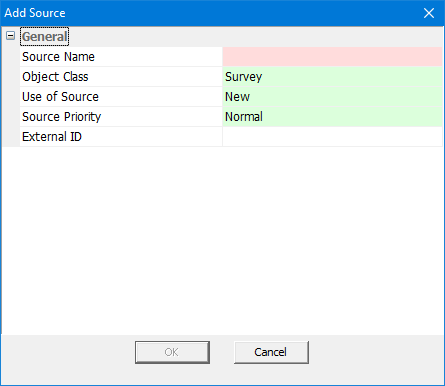
Property | Description |
|---|---|
Source Name | A name for the source. Type in the box |
Object Class | Select from the list. |
Use of Source | Select from the list. |
External ID | Select from the list. |
Procedure
1. Select the New Source command.
The Add Source dialog box is displayed.
2. Type a Source Name.
3. Change any other necessary properties.
4. Click OK to apply the changes
