CARIS HPD Paper Chart Editor
 CARIS HPD Paper Chart Editor
CARIS HPD Source Editor
CARIS S-57 Composer
CARIS Paper Chart Composer
Menu | File > Export > Set Area |
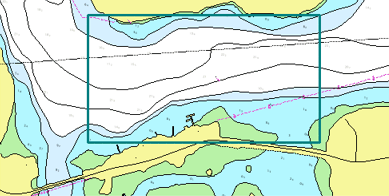
Select an area of the chart for export using the Export View command. Only the area inside the digitized boundary is exported.
Related commands:
• | • |
Procedure
1. If you are using Paper Chart Editor, change to Sheet View.
2. Select the Set Export Area command.
The cursor changes ( )
)
3. Right-click in the Display window and select Edit Line and any one of these digitizing commands.
• Closed Point-to-Point
• Squared Line
• Rectangle [2 points]
• Rectangle [3 points]
4. Digitize a boundary area.