Roles are assigned to individual users through the User Manager (see Roles). But roles can also be assigned to user groups. Roles are automatically assigned to all members of a group. If a member already been assigned other roles, user-group roles are added to the existing roles.
1. Select a user group in the Object Browser.
The Properties tab displays the properties for the user group.
2. Click Browse in the Assigned Roles field.
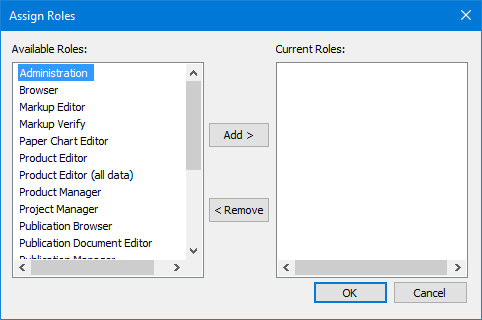
The Assign Roles dialog box is displayed.
3. Select one or more roles in the Available Roles list
4. Click Add to move the selected roles to the Current Roles list.
5. [Optional] Select one or more roles in Current Roles and click Remove to move them back to Available Roles.
6. Click OK.
The roles in the Current Roles list are assigned to the user group and listed in the Properties window.