Product Editor
 Product Editor
Source Editor
Menu | Edit > Contours > Replace Tiny Contours |
This command is only available if the Bathymetry Compilation module is enabled. See Modules for further information |
Tiny contours, or “isolations”, tend to slow data processing without adding value to the final product. This command modifies tiny contours to make them more useful.
Two replacement methods are available:
• Cartographic: Replace the original contour with one that encloses a sounding object at the specified size and map scale.
• Geometric: Replace the original contour with a larger one using the specified buffer size.
Interface
Option | Description |
|---|---|
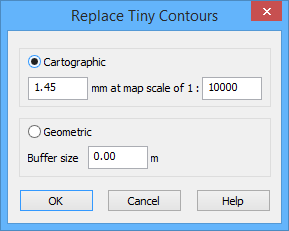
Cartographic | Replace original contours with contours that enclose sounding objects at a specified size and map scale: • mm: The size, in millimetres, at which new contours will be created based on a specific map scale. • map scale: The map scale to use when creating contours. |
Geometric | Replace original contours with larger ones using a specified buffer size. • Buffer size: The buffer size to use for creating new contours. |
Procedure: Cartographic
1. Select a feature layer with contours.
2. Select one or more tiny contour features.
3. Select the Replace Tiny Contours command.
4. Select Cartographic.
5. Enter the size and map scale at which to create the new contours.
6. Click OK.
The selected contours are replaced.
Procedure: Geometric
1. Select a feature layer that contains contours.
2. Select one or more tiny contour features.
3. Select the Replace Tiny Contours command.
4. Select Geometric.
5. Enter a Buffer size.
6. Click OK.
The selected contours are replaced.
Example
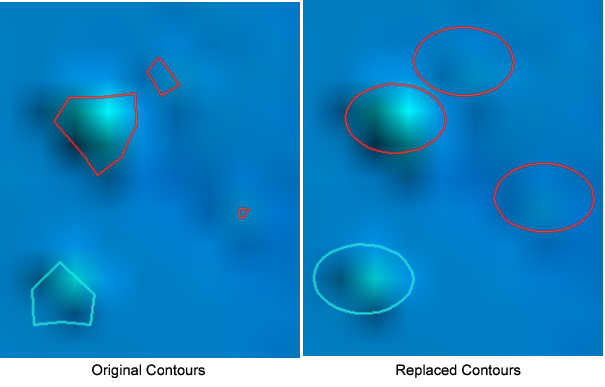
This shows a group of tiny contours that have been replaced using the Cartographic option with a size of 1mm and a scale of 1000.