CARIS HPD Paper Chart Editor
 CARIS HPD Paper Chart Editor
Menu | File > Open > HPD Atlas |
Tool |
|
Open an existing Atlas from the database.
Related commands
• • • | • • • |
Interface
Option | Description |
|---|---|
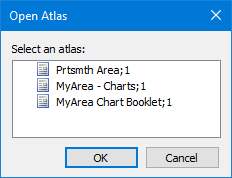
Select an atlas | List of available atlases. |
Procedure
1. Select the Open Atlas command.
If you are not logged into the database, the database dialog box is displayed.
2. Log into the database if necessary.
The Open Atlas dialog box is displayed.
3. Select an Atlas and click OK.
The Select Project dialog box is displayed.
4. Select a project and click OK.
The selected Atlas is displayed in the Layers window.
5. Select the Atlas book.
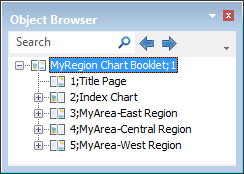
All charts and files in the Atlas book are displayed in the Object Browser.