Pop-up | Edit Line > Split |
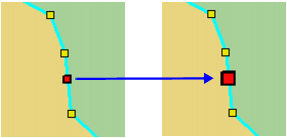
Split an edge at a selected vertex. The original feature remains intact but two new edges are created.
Related commands:
Procedure
1. Select the feature.
2. Select the Edit Feature command.
3. Select the vertex where the edge is to be split.
4. Select the Split Edges command.
The edge is split.