 CARIS HPD Paper Chart Editor
 CARIS HPD Paper Chart Editor
CARIS HPD Product Editor
CARIS HPD Source Editor
CARIS S-57 Composer
CARIS Paper Chart Composer
Pop-up | Line Digitizer > Loxodrome |
Pop-up | Area Digitizer > Loxodrome |
A loxodrome is a line derived from an initial bearing. It cuts all meridians at the same angle. This is more accurate for navigational use than other line types because the angles are calculated as if on a spherical surface.
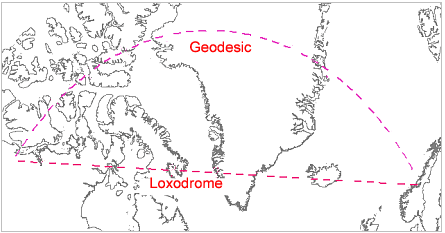
The Digitize Loxodrome command can be used when you create a line or area.
Related commands:
• | • |
Procedure
1. Select the Loxodrome command.
2. Click at the location of the first point.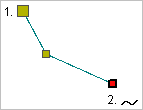
3. Do one of the following:
• Click at the location of the second point.
• Press and hold the mouse button and drag the second point to its location then release the button.
4. Continue until all points are added.
5. Select the End Line or Close Line command.
Close line joins the first point in the line to the last point.
The new line feature is created.