 CARIS HPD Paper Chart Editor
 CARIS HPD Paper Chart Editor
CARIS HPD Product Editor
CARIS HPD Source Editor
CARIS S-57 Composer
CARIS Paper Chart Composer
Menu |
|
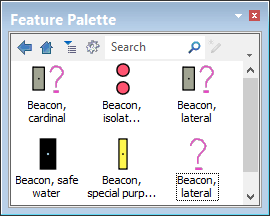
Feature attributes and symbolization can be combined to create custom entries in the Feature Palette. For example, a group of beacon features using existing attributes and symbology can be saved as template group and then used to digitize new features.
Related commands
• • • • • • | • • • • • • |
Procedure
1. Create a new template group and double-click on it.
2. Select Create Custom Feature command.
The Feature Template Properties dialog box is displayed.
3. Type a name for the feature.
4. Select a feature acronym from the Object list.
The Type field and attributes table are filled when the feature acronym is selected.
Depending on the feature, you may be able to select another type from the Type list.
5. Select attribute values as needed.
6. [Optional] Filter the attributes.
7. Click Apply to apply changes and leave dialog box open.
8. Click OK to apply changes and close dialog box.
 > New > Feature (Feature Palette)