CARIS HPD Paper Chart Editor
 CARIS HPD Paper Chart Editor
CARIS HPD Product Editor
Menu | File > Open > HPD Additional Layers > Source Markers |
Open workspace markers, created in Source Editor, as read-only markers in Product Editor.
This command is active only when a workspace is displayed.
This command is not available for workspaces on replicated schemas. |
Related commands:
• • • • • • • • • | • • • • • • • • |
Procedure
1. Open a workspace.
2. Select the workspace usage where the marker is located.
3. Select the Add Source Markers Layer command.
The Select Project dialog box is displayed.
4. Select the project associated with the marker and click OK.
A source markers layer is created in the Layers window and the marker is displayed in the workspace.
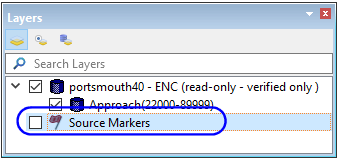
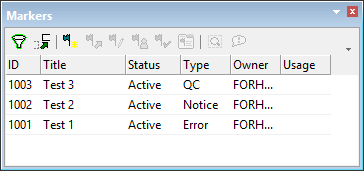
5. [Optional] Select the Source Markers layer.
Information about all markers in the layer is displayed in the Markers window.
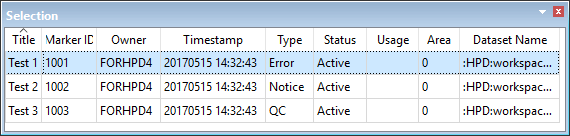
6. [Optional] Select one or more markers in the Display window.
Information about the selected markers is displayed in the Selection window.