 Catalogue Editor
 Catalogue Editor
Menu | File > Export to XML |
Export a selection of features to XML. This command is useful for exporting feature information in the database dictionary to external XML dictionaries.
This command creates two files: a file containing dictionary information and a file containing profile information. The files are saved as FileName_dict (dictionary) and FileName_prof (profile).
Related commands:
• • • • • • | • • • • • • |
Interface
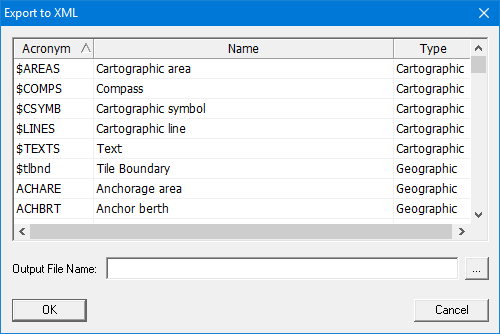
Option | Description |
|---|---|
Acronym | S-57 or S-100 feature acronym. |
Name | Feature name. |
Type | Feature type (geographic, cartographic, collection, meta) |
Output File Name | Name and folder for the two exported XML files. One file will have |
Procedure
1. Select the Export to XML command.
The Export to XML dialog box is displayed.
2. Select features using any of the following methods:
• Click to select a single feature.
• <Ctrl+click> to select a group of features.
• <Shift+click> to select a range of features.
3. Click browse (...) to select a location and name for the files.
4. Click OK.
Two files are created with the file name you selected in the Export to XML dialog box.