 Catalogue Editor
 Catalogue Editor
Menu | File > Open XML Catalogue |
Tool |
|
Open an external XML catalogue. Available catalogues are read from the Catalogue Control file.
Related commands:
• • • • • • | • • • • • • |
Procedure
1. Select the Open XML Catalogue command.
The File Open dialog box is displayed.
2. Select a catalogue control file and click Open.
The Select Catalogue dialog box is displayed.
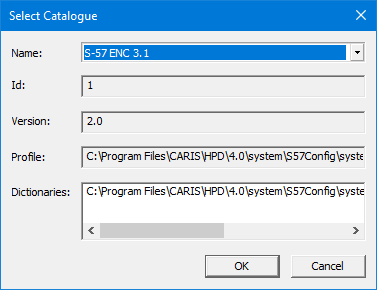
3. Select a catalogue from the Name list.
The other fields display information associated with the selected catalogue type.
4. Click OK.
The profile is opened. When a branch is selected, the properties related to that branch are displayed on the right side of the editor.
