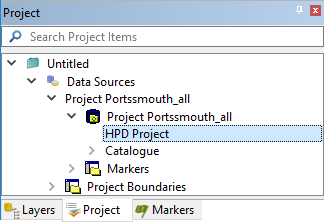
Source Editor can be used to create new projects that require geographic boundaries, view project information, select projects, and manage the check-in of isolated projects.
You can also modify some project properties in Source Editor as follows:
1. Select the Project window.
2. Select the HPD Project layer.
3. Select the Properties window.
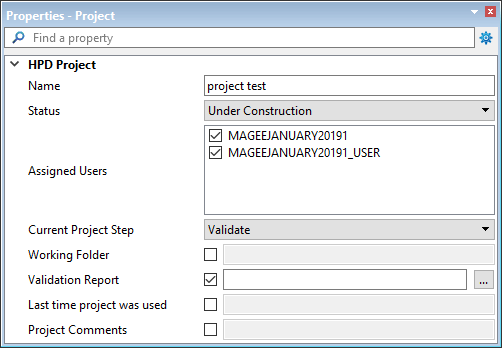
Property | Description |
|---|---|
Name | [Read-only] Name of the current project. |
Status | Project status, which can be changed to the next level. Select from the list. |
Assigned Users | User or users assigned to the project. Select or clear the user name to change the user assignment. |
Current Project Step | Current step of a custom procedure. |
Working Folder | [Read-only] Name of the working folder, if any. |
Validation Report | [Read-only] Name of the validation report attached to the project by the Validation command, if any. |
Last time project was used | [Read-only] Date the last time the project was used. |
Project Comments | [Read-only] Information regarding the project, if any. |
4. Modify the properties as necessary.
Source Editor project commands:
• • • • • • • • | • • • • • • • |